Pictures Pictures of cars or pictures related to cars.

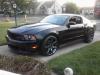
Noob messin' around with Photoshop...

Old Jan 5, 2006 | 10:15 PM
  #1  
dsdaddy's Avatar
Thread Starter
|
Grayscale background FTW!
Joined: Jun 2005
Posts: 1,487
From: Texas
Default Noob messin' around with Photoshop...

Nothing spectacular, just trying to learn filters and stuff...


Old Jan 5, 2006 | 10:16 PM
  #2  
dsdaddy's Avatar
Thread Starter
|
Grayscale background FTW!
Joined: Jun 2005
Posts: 1,487
From: Texas
Default

a few more...


Old Jan 5, 2006 | 10:43 PM
  #3  
foncarelli's Avatar
Everyday Im Hustlin
Joined: Jun 2005
Posts: 3,970
From: Ecorse, Michigan
Default

Thats pretty cool.
 
Old Jan 5, 2006 | 10:44 PM
  #4  
csledd's Avatar
DSG!!!
Joined: Feb 2005
Posts: 3,159
From: Paducah, KY
Default

I like the 2nd picture the best
 
Old Jan 5, 2006 | 10:58 PM
  #5  
dsdaddy's Avatar
Thread Starter
|
Grayscale background FTW!
Joined: Jun 2005
Posts: 1,487
From: Texas
Default

Thanks...here's a few more...


Old Jan 6, 2006 | 05:47 AM
  #7  
dom's Avatar
dom
whos gonna ban me next?
Joined: Apr 2005
Posts: 1,268
From: baltimore, MD
Default

want more practice? do some cool things with my car
 
Attached Images
File Type: jpg
12-27-05 (1).JPG (155.4 KB, 8 views)
File Type: jpg
12-27-05 (3).JPG (102.1 KB, 3 views)
File Type: jpg
12-27-05 (9).JPG (124.2 KB, 7 views)
File Type: jpg
12-27-05 (11).JPG (131.1 KB, 3 views)
File Type: jpg
cool pic regular.JPG (134.6 KB, 7 views)
Old Jan 6, 2006 | 08:02 AM
  #8  
dsdaddy's Avatar
Thread Starter
|
Grayscale background FTW!
Joined: Jun 2005
Posts: 1,487
From: Texas
Default

Here ya go...
don't know what happened to the front wheel...I'll fix that later...

 
Old Jan 6, 2006 | 08:07 AM
  #9  
dom's Avatar
dom
whos gonna ban me next?
Joined: Apr 2005
Posts: 1,268
From: baltimore, MD
Default

hahah awesome. i must have rammed into a curb pretty bad!
 
Old Jan 6, 2006 | 08:17 AM
  #10  
madmatt's Avatar
Traitor...lol
Joined: Sep 2004
Posts: 7,939
From: Lexington, SC
Default

Awesome, whatd you do, just select the whole car and then copy it onto a new layer or something and do the filter to the background? I wanna do some with mine.
 
Old Jan 6, 2006 | 08:19 AM
  #11  
dsdaddy's Avatar
Thread Starter
|
Grayscale background FTW!
Joined: Jun 2005
Posts: 1,487
From: Texas
Default

Originally Posted by madmatt
Awesome, whatd you do, just select the whole car and then copy it onto a new layer or something and do the filter to the background? I wanna do some with mine.
That's it...select what you don't want filtered, copy and cut it and then mess with the filters...nothing too complicated, but I'm just trying to learn a little...
 
Old Jan 6, 2006 | 11:57 AM
  #12  
dsdaddy's Avatar
Thread Starter
|
Grayscale background FTW!
Joined: Jun 2005
Posts: 1,487
From: Texas
Default

couple more for ya Dom...


Old Jan 6, 2006 | 11:58 AM
  #13  
macs03GT's Avatar
CMAC
Joined: Oct 2004
Posts: 1,085
From: Tucson, AZ
Default

Yeah that looks awesome. You know what i think of when i see it though?!?! I think of Dave Chappelle when he's doing rick james. You know when you first see him..he's got the orange "ora" around him. LOL. I see that with the car. haha .....that looks awesome though. I like it.
 
Old Jan 6, 2006 | 12:05 PM
  #14  
floppy's Avatar
Senior Member
Joined: Jun 2005
Posts: 1,805
From: royal palm beach, florida
Default

here's a couple tips for you to try out. select the items better (not cracking on you because you're a noob, but it's pretty important). and when you try an effect on the back ground, make it on a copy of the back ground, not the original. that way you can blend it with the original and it wont be so drastic.
 
Old Jan 6, 2006 | 12:08 PM
  #15  
dom's Avatar
dom
whos gonna ban me next?
Joined: Apr 2005
Posts: 1,268
From: baltimore, MD
Default

if you want any more practice pics let me know i just love whoring!
 
Old Jan 6, 2006 | 12:09 PM
  #16  
dsdaddy's Avatar
Thread Starter
|
Grayscale background FTW!
Joined: Jun 2005
Posts: 1,487
From: Texas
Default

Originally Posted by floppy
here's a couple tips for you to try out. select the items better (not cracking on you because you're a noob, but it's pretty important). and when you try an effect on the back ground, make it on a copy of the back ground, not the original. that way you can blend it with the original and it wont be so drastic.
I'll give it a shot...that whole selecting crap is a PITA...is there an easier way than using the lasso tool to select items?
 
Old Jan 6, 2006 | 12:11 PM
  #17  
floppy's Avatar
Senior Member
Joined: Jun 2005
Posts: 1,805
From: royal palm beach, florida
Default

what version of photoshop are you using? have you tried the other tools?
 
Old Jan 6, 2006 | 12:13 PM
  #18  
dsdaddy's Avatar
Thread Starter
|
Grayscale background FTW!
Joined: Jun 2005
Posts: 1,487
From: Texas
Default

Originally Posted by floppy
what version of photoshop are you using? have you tried the other tools?
I've got Photoshop CS2 v9.0. Haven't really learned what a lot of the other tools are...I found a Photoshop tutorial online, but I haven't got a chance to really get into it.
 
Old Jan 6, 2006 | 12:33 PM
  #19  
floppy's Avatar
Senior Member
Joined: Jun 2005
Posts: 1,805
From: royal palm beach, florida
Default

here ya go dom...

quick job, took 1-2 mins. just for an example.


dsdaddy, for this one i used the magnet lasso to select the car because it's a white car on a darker background, saved some time and made it a little easier. dont forget to color balance the image. makes it that much better.
 
Attached Images
File Type: jpg
dom.jpg (199.5 KB, 17 views)
Old Jan 6, 2006 | 12:35 PM
  #20  
floppy's Avatar
Senior Member
Joined: Jun 2005
Posts: 1,805
From: royal palm beach, florida
Default

when you use a filter, try to make it very subtle. filters are just aids to help acheive the look you want. they're not supposed to be the basis of the artwork.
 
Old Jan 6, 2006 | 12:42 PM
  #21  
dom's Avatar
dom
whos gonna ban me next?
Joined: Apr 2005
Posts: 1,268
From: baltimore, MD
Default

Hottttttttttttttttttttttt
 
Old Jan 6, 2006 | 12:51 PM
  #22  
floppy's Avatar
Senior Member
Joined: Jun 2005
Posts: 1,805
From: royal palm beach, florida
Default

Originally Posted by dom
Hottttttttttttttttttttttt

lol, thats like 2 or 3 times i've photoshopped something for you, im gonna start charging. jk
 
Old Jan 6, 2006 | 12:58 PM
  #23  
dom's Avatar
dom
whos gonna ban me next?
Joined: Apr 2005
Posts: 1,268
From: baltimore, MD
Default

http://www.uploadfile.info/uploads/55ac94d59c.jpg

here i did my own with some photo software that came with my camera
 
Old Jan 7, 2006 | 07:49 AM
  #24  
wade95's Avatar
Senior Member
Joined: Jan 2005
Posts: 503
From: Tarpon Springs, FL
Default

Those pics are awesome,,all of them. I think what I'm going to do is take the two Saturday course that the local JC offers to get me going w/Photoshop. Don't have time to sit down and teach myself so I'll cheat and pay someone to do it. Think they charge $90 for a two Saturday class.
 
Related Topics
Thread
Thread Starter
Forum
Replies
Last Post
PureStang
Tire and Wheel Talk!
1
Apr 4, 2006 06:15 PM
Codiddy
V6 Tech Forums
18
Apr 1, 2006 02:51 PM
02stangfire
New Members!
9
Nov 22, 2005 09:50 PM
ace184
New Members!
1
May 9, 2005 07:01 PM
2000 Gee Tee
New Members!
3
Mar 7, 2005 06:23 AM


Thread Tools
Search this Thread

All times are GMT -7. The time now is 04:09 PM.